
USA Edition • Verified 11 September 2026
Your book is ready. Don’t let KDP Category research slow you down.
You’ve already written the book, formatted it and prepared it for publication. Now stop clicking through category menus and second-guessing your choices. The Amazon KDP USA LIVE Category Master gives you a searchable, verified UK snapshot for eBooks and paperbacks, so you can highlight relevant terms, inspect full selector paths and build a shortlist with far less friction.
SEE THE USA CATEGORY MASTERSee What’s Included
Verified USA snapshot • eBook + Paperback research • Search & Highlight • Full User Guide included
BUILT TO SAVE YOU TIME
Stop Clicking Through KDP Categories. Start Finding Relevant Paths Faster.
Category selection can become a frustrating final hurdle when all you want to do is publish. Search the captured UK KDP database, highlight matching terms, inspect complete category paths and build your shortlist before returning to KDP for final confirmation.
Less clicking. Less guesswork. A much clearer way to finish your KDP setup.
Find Relevant Terms Faster
Type a word or phrase into the yellow search box and matching cells stand out immediately, with a match count and first full-path preview to help you start investigating faster.
Research eBook & Paperback Properly
Avoid assuming that one format mirrors the other. Research eBook and Paperback selectors separately so you can see what is actually available in each.
See the Full Path Before You Choose
See the complete route through KDP, not just the final category word, so you can judge whether the placement genuinely fits your book.
Know What Is Actually Selectable
Quickly distinguish navigation steps from genuine selectable checkbox placements captured in KDP, so you spend less time chasing the wrong rows.
Compare Formats Without Starting Again
Use the conservative comparison tab to review strong eBook-to-Paperback relationships without forcing weak matches or manually rebuilding your research from scratch.
Help Is There When You Need It
The complete Product User Guide explains every tab, the search system, worked examples, terminology and limitations, so you are not left figuring the workbook out on your own.
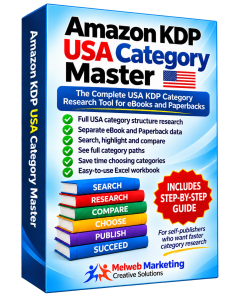
YOUR KDP CATEGORY RESEARCH TOOLKIT
One organised workbook to help you finish category research faster.
This is more than a list of category names. You’re getting a protected, searchable Excel research workbook built to help you investigate UK eBook and Paperback category choices more quickly and clearly.
- Separate USA eBook and Paperback research data
- Search & Highlight tools
- Full selector paths
- eBook-to-Paperback comparison data
- Protected customer workbook
- Complete Product User Guide
Research smarter. Publish with confidence.
SEE THE WORKBOOK IN ACTION
See the workbook doing the work
See how Search & Highlight, separate format research, comparison tools and verification work before you buy.
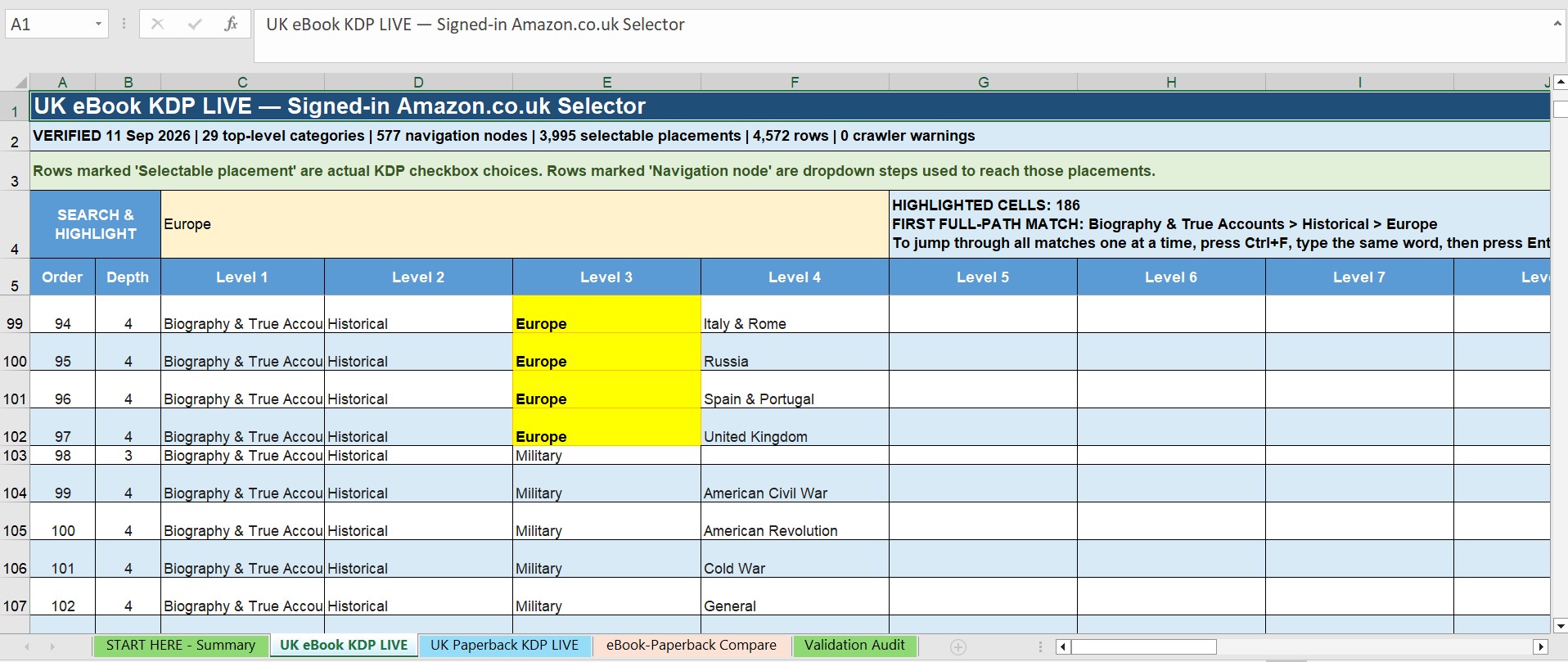 Search & Highlight USA eBook Categories
Enter a word or phrase and matching cells are highlighted automatically, together with a match count and first full-path result.
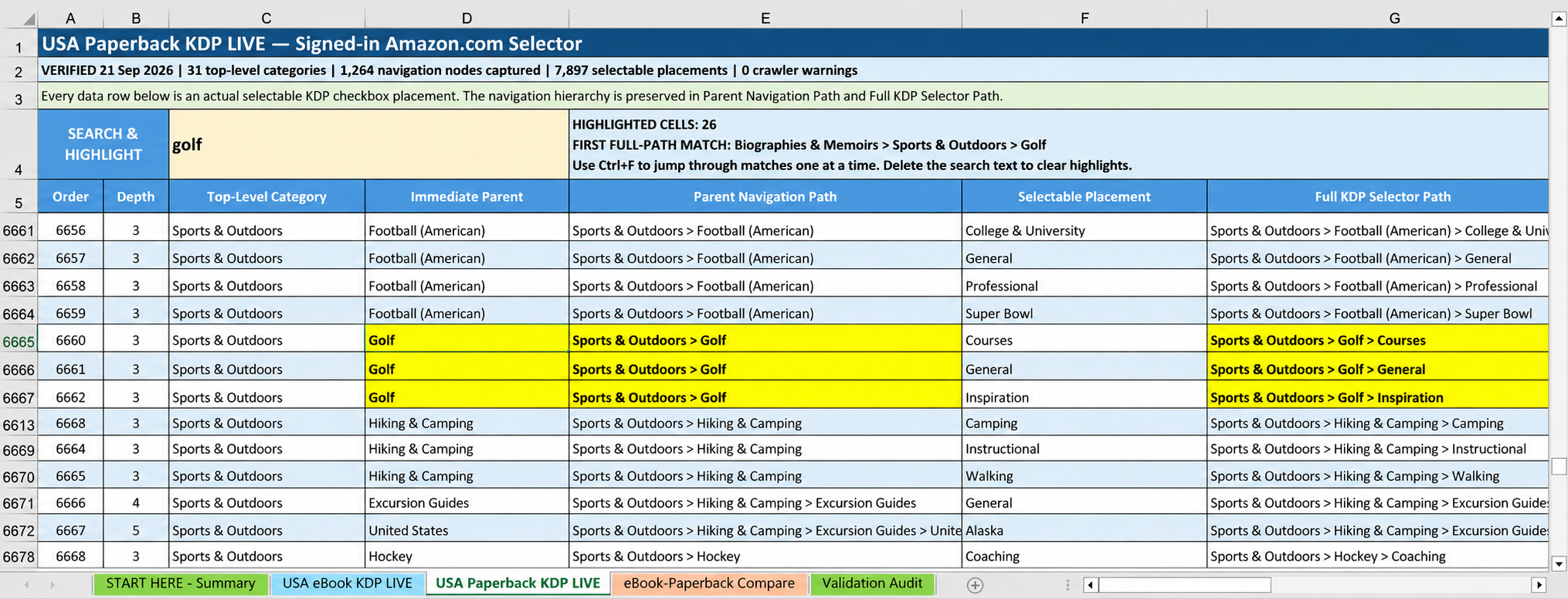 Research Paperback Categories Separately
Search the Paperback selector independently instead of assuming eBook and Paperback category choices are identical.
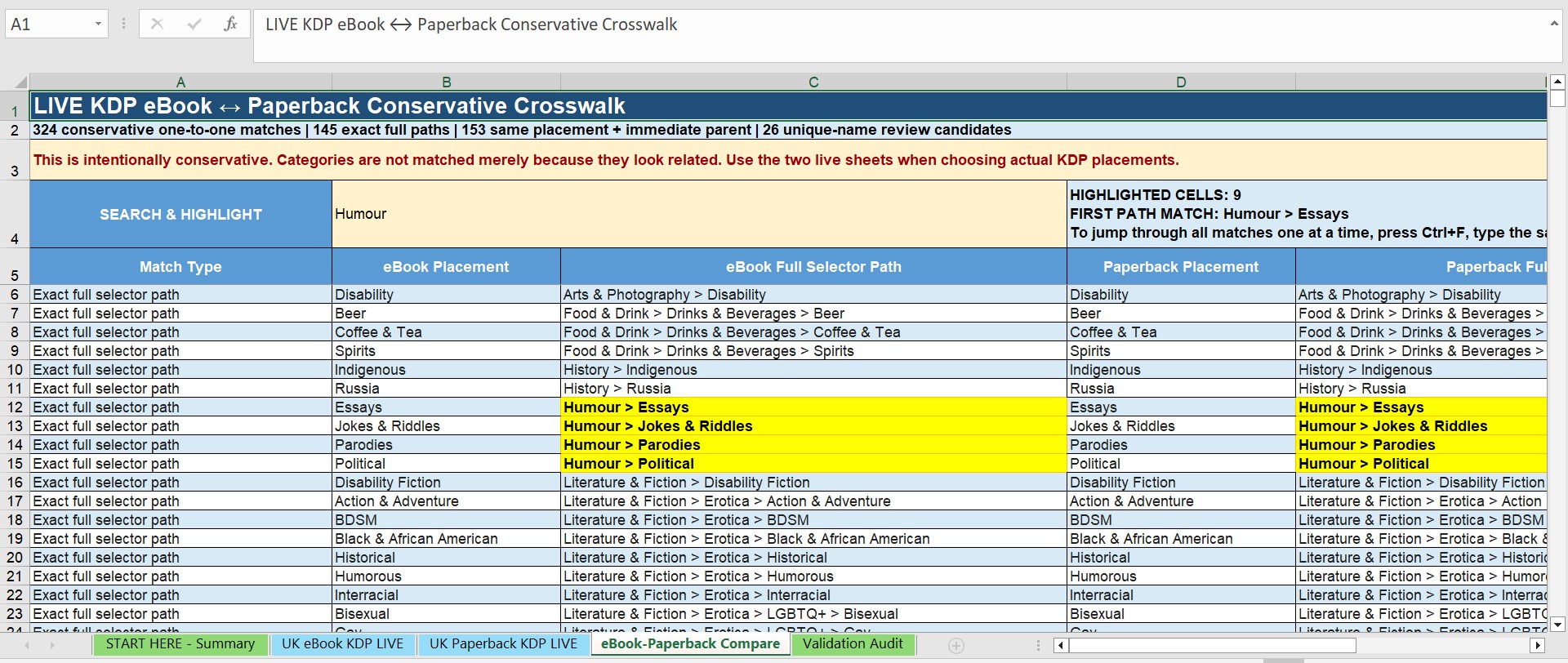 Compare eBook and Paperback Placements
Review conservative cross-format matches and compare selector paths side by side.
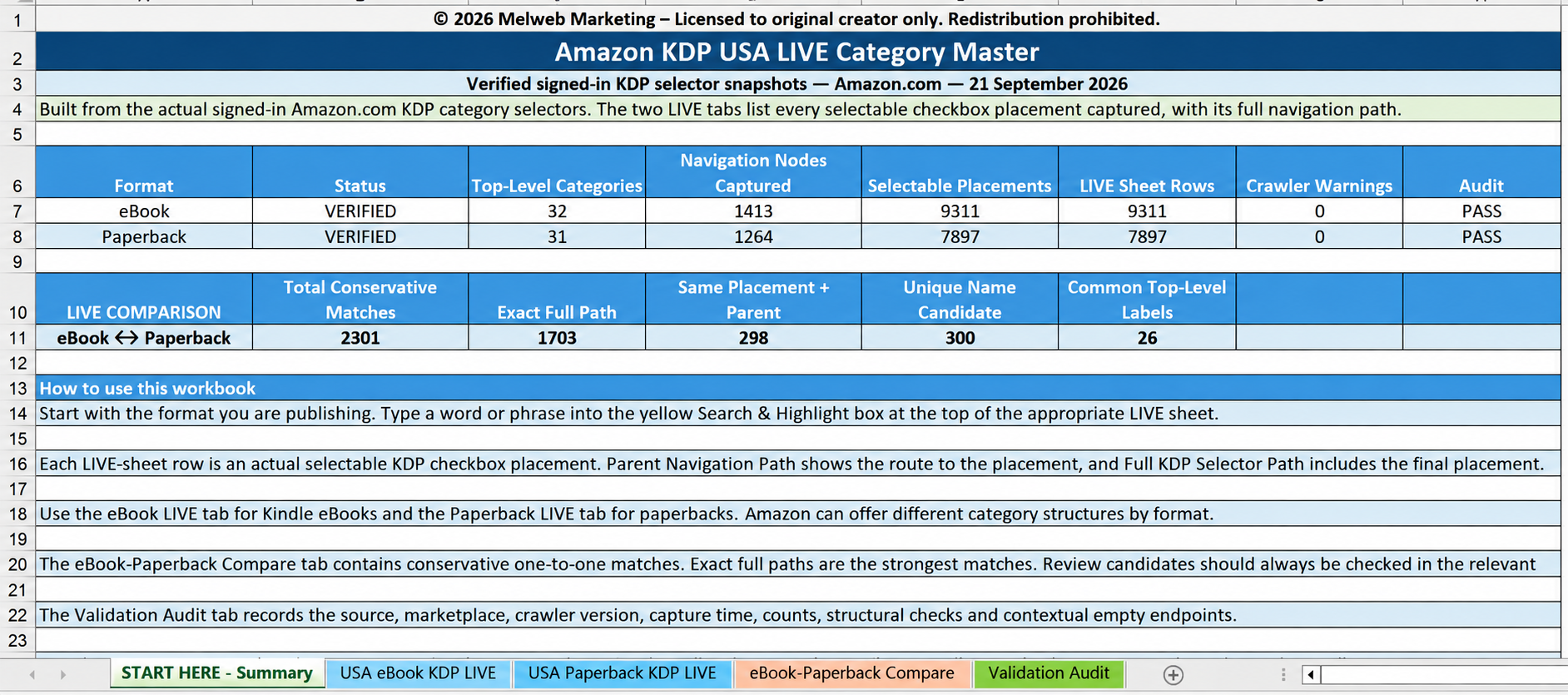 Workbook Summary and Verification
See verified capture totals, category counts, comparison figures and workbook instructions in one place.
3-MINUTE PRODUCT DEMONSTRATION
See the Workbook in Action
Watch this short demonstration to see how Search & Highlight finds matching category paths, highlights them in yellow, and how Excel Find lets you move through the results one by one.
Use the video controls to play, pause, adjust volume or view full screen.What you receive
Everything you need to research before you click Publish
- START HERE - Summary — snapshot totals, instructions and workbook status.
- USA eBook KDP LIVE — 29 top-level categories, 577 navigation nodes and 3,995 selectable placements.
- USA Paperback KDP LIVE — 36 top-level categories, 1,298 navigation nodes and 7,299 selectable placements.
- eBook-Paperback Compare — 324 conservative cross-format matches to help you compare the two selectors.
- Validation Audit — verification checks covering both captured category selectors.
- Detailed Product User Guide included — step-by-step PDF instructions, worked examples and guidance on using the workbook.
From book topic to shortlist in five straightforward steps
- Define your book. Note the subject, genre, intended reader and related search terms.
- Search the correct format. Research the eBook and Paperback selectors independently.
- Read the complete path. Review the full KDP selector path and confirm that the final row is a selectable placement.
- Build a relevant shortlist. Choose category paths that genuinely fit your book.
- Confirm inside KDP. Amazon can change its category selectors, so always verify your final choices inside your live KDP account.
Built to make research easier, not to make ranking promises.
The workbook does not claim to measure sales, search volume, Best Seller Rank, competition or customer demand. Child Count and Placement Count describe the structure of the captured KDP selectors, not category popularity. Its purpose is to help you understand, search and research the category choices displayed in the captured UK selectors.
How much is your publishing time worth?
You can click through KDP category branches every time you publish, repeat the process for Paperback, try different search terms, backtrack through menus and keep your own notes as you go. Or you can keep one organised UK category research workbook on your computer and return to it whenever your next book is ready.
One workbook. Both publishing formats. Thousands of selectable placements. Searchable whenever you need it.
A QUICK LOOK AT THE COMPLETE PACKAGE
Everything is designed to make category research clearer and quicker.
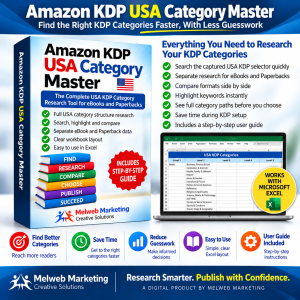
Search, compare and review the captured USA KDP category structure in one place, then return to KDP to confirm your final selections.
FINISH YOUR KDP SETUP WITH LESS FRICTION
Get the research done. Get back to publishing.
Keep a searchable USA category reference on your computer and use it whenever your next eBook or paperback is ready. Search, compare, shortlist and confirm, without starting from scratch each time.
Protected Excel workbook • Full PDF User Guide • One-time $27 purchase • Immediate digital access after purchase
Questions before you decide?
Is this copied from Amazon retail browse pages?
No. The database was compiled from the signed-in Amazon.co.uk KDP category selectors captured on 11 September 2026.
Does it include both eBook and Paperback categories?
Yes. eBook and Paperback data are kept in separate research tabs because the two selectors are not identical.
Do I need to enable Excel macros?
No. The Search & Highlight system uses standard Excel formulas and conditional formatting, and the workbook remains a normal .xlsx file.
Will these categories stay the same forever?
No. Amazon can change its KDP category selectors at any time. The workbook is a verified snapshot dated 11 September 2026, so final category choices should always be confirmed inside your live KDP account.
Is this an official Amazon product?
No. It is an independently compiled Melweb Marketing research product and is not affiliated with, endorsed by, or sponsored by Amazon.
What do I receive after purchase?
You receive the protected Amazon KDP USA LIVE Category Master Excel workbook together with the complete Product User Guide PDF.
Can I edit the workbook?
The workbook is protected to prevent accidental changes to the category data, formulas and layout. The intended search and input areas remain available for normal use.